

Online scams have become increasingly common, demanding greater attention to the links and online content we interact with daily. Cybercriminals are constantly creating new methods to deceive people for financial gain, ranging from falsified payment receipts to fake technician impersonations. In Brazil, around 71% of the population has already fallen victim to this type of crime, which shows the need for caution when clicking on links in WhatsApp messages, emails, or SMS, as well as avoiding sharing personal information with strangers. To reduce risks, it is essential to understand how these scams work, recognize their main types, learn what to do if you are targeted, and adopt preventive measures to protect your data and avoid financial losses.
This article is part of a series on digital security. You can read the other texts here.
This Content Is Only For Subscribers
To unlock this content, subscribe to INTERLIRA Reports.
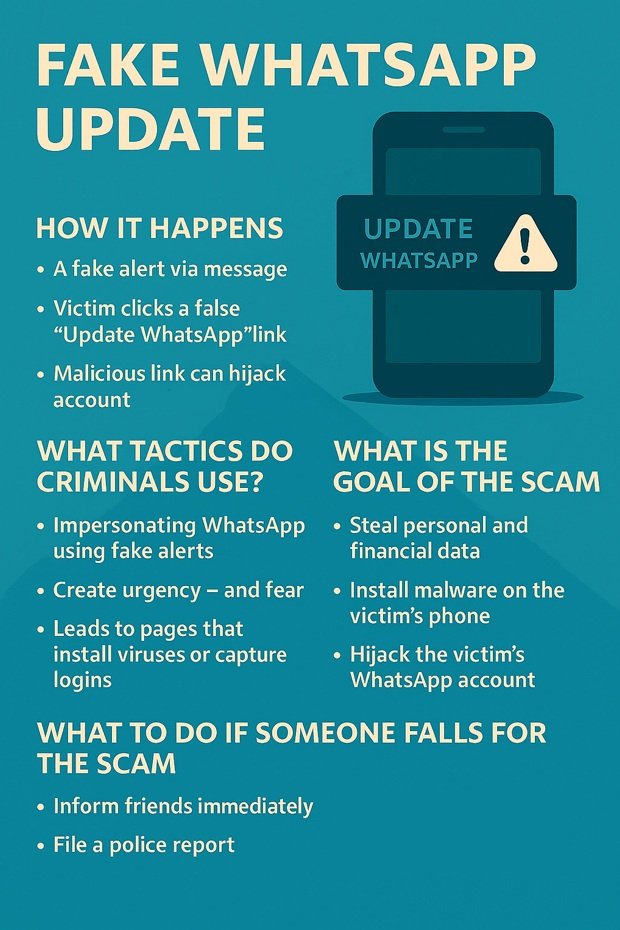
– How it happens
A new scam is circulating, and it all begins with a single message on WhatsApp. The victim receives a text from an unknown number, but when they try to open it, the content doesn’t appear. Instead, a suspicious alert pops up: “You received a message, but your version of WhatsApp is not compatible.” Followed by a tempting link: “Update WhatsApp.”
This is where scammers strike. They exploit the victim’s curiosity — the natural urge to see the message — to make them click without thinking. But the link doesn’t update anything. Instead, it directs the user to fake websites designed to install malware, steal personal and banking data, or even take control of the phone. With just one careless click, criminals can also clone the victim’s WhatsApp account and contact friends and family requesting urgent transfers while pretending to be them.
– What tactics do criminals use?
They impersonate WhatsApp using fake system alerts that create urgency and fear.
They rely on the victim’s immediate reaction to “fix” the problem by clicking quickly.
The fake update link leads to malicious pages that install viruses or capture login information.
– What is the goal of the scam?
Steal personal and financial data
Install malware on the victim’s phone
Hijack the victim’s WhatsApp account
Request money from their contacts by pretending to be them
– How to protect yourself?
Never click on links received from unknown numbers.
Remember: WhatsApp never sends update links via message. Update WhatsApp only through the official stores: Google Play or Apple Store.
Be skeptical of messages that create urgency, such as “you cannot see the message without updating.”
Enable two-step verification on WhatsApp to protect your account.
If you receive a suspicious message, report it directly within WhatsApp: Tap the three dots in the top right corner → Report.
What to do if someone falls for the scam?
Inform friends, family, or clients immediately so they don’t fall for additional scams sent from the compromised account.
File a police report.
If there is financial loss, contact the bank immediately to attempt recovery of the funds.