

Online scams have become increasingly common, demanding greater attention to the links and online content we interact with daily. Cybercriminals are constantly creating new methods to deceive people for financial gain, ranging from falsified payment receipts to fake technician impersonations. In Brazil, around 71% of the population has already fallen victim to this type of crime, which shows the need for caution when clicking on links in WhatsApp messages, emails, or SMS, as well as avoiding sharing personal information with strangers. To reduce risks, it is essential to understand how these scams work, recognize their main types, learn what to do if you are targeted, and adopt preventive measures to protect your data and avoid financial losses.
This article is part of a series on digital security. You can read the other texts here.
This Content Is Only For Subscribers
To unlock this content, subscribe to INTERLIRA Reports.
Fake Bank Call Center Scam
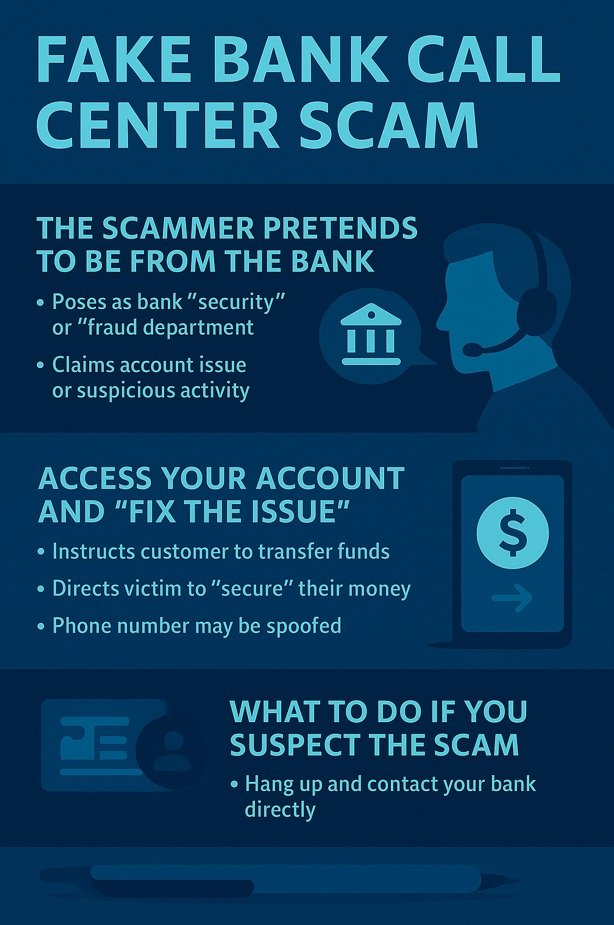
Criminals have increasingly impersonated banks by contacting customers and pretending to be from the branch, customer support, or the bank’s security department. To make the scam more convincing, they often spoof phone numbers, causing the caller ID to display the bank’s official number or even the customer’s local branch — making the call look legitimate. Once the victim responds, scammers follow a very specific script designed to create urgency and push the person into making financial transfers.
How the Scam Works
- The Scammer Pretends to Be from the Bank
They introduce themselves as a bank employee — usually from “security,” “fraud prevention,” or from the customer’s own branch. They claim there are irregularities, suspicious charges, scheduled transactions, or “fraud attempts” on your account.
- They Tell You to Access Your Account and “Fix the Issue.”
After inventing the fake problem, the scammer instructs the victim to take “security steps.” But these steps are actually transfers to the criminal’s own account.
They may ask the victim to:
- Cancel a fraudulent Pix
- Block a suspicious payment
- Move your money to a safe account
- Update your account
- Register a new beneficiary
What to Do If You Suspect the Scam
If you receive a call like this — even if the bank’s official number appears on your screen — hang up immediately. Then, contact your bank directly through official channels: the app, the official website, the number printed on the back of your card. Never return the call using the same number that contacted you.
When the Bank Contacts You, It Will NEVER Ask You To:
- Access your account to perform actions such as scanning a QR Code
- Register an unknown bank account
- Cancel Pix transfers, payments, or pending transactions
- Share passwords, SMS codes, security tokens, or iToken codes
- Transfer funds to a “secure account,” “reserve account,” or “temporary safety account”
- Provide account upgrade data or “segment upgrade” information